- 18 interviews (2 rounds)
- 12 usability tests
- 30+ screens
- 5 project team
- Role
- UX researcher & designer on the team
- Methods
- Desk research, IDIs, usability testing, design studio, UX/UI design
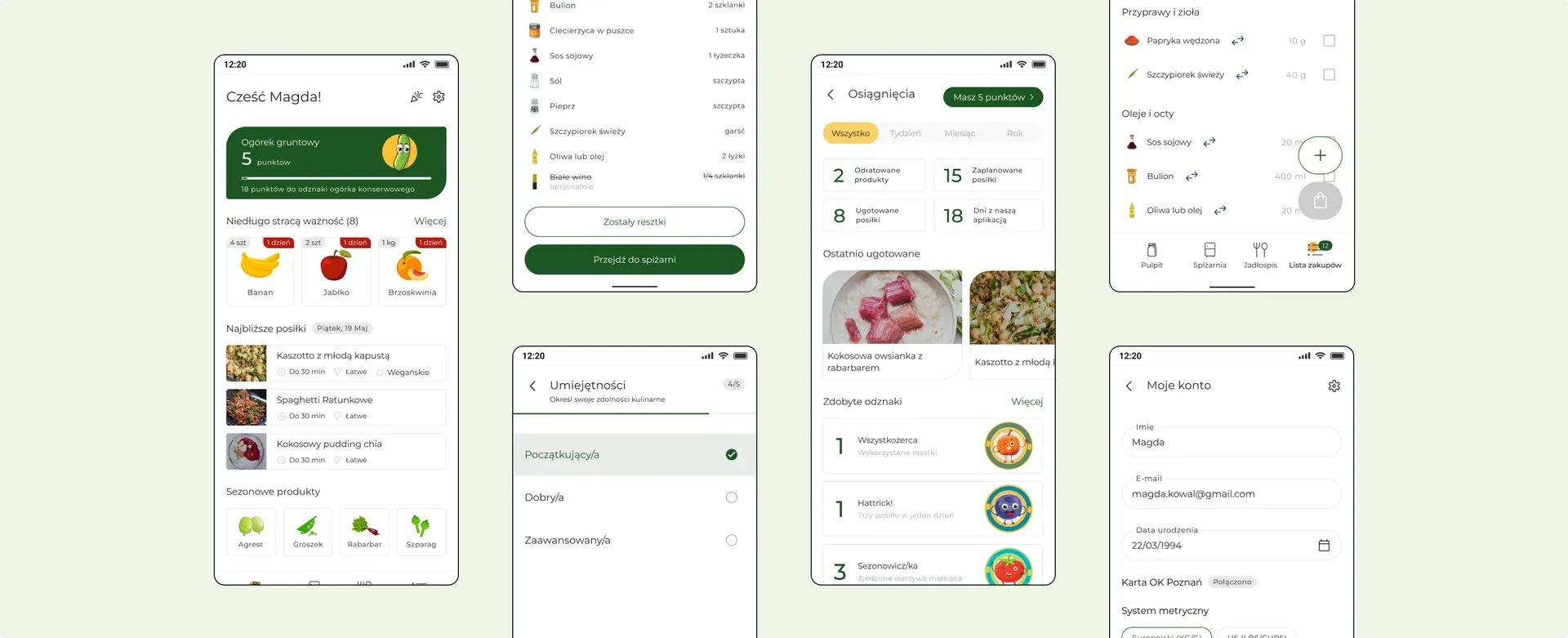
A concept app for household budgeting — built in a team of five. Two rounds of desk research, two rounds of interviews, two rounds of usability testing. We started with a question about saving money and ended with a different one: the easiest savings don’t take willpower — just knowing what’s already in your fridge.
We started our project with a literature review and analysis of available reports. We studied materials on financial management, savings, shopping habits, and conscious consumption.
The gathered data shows that the majority of Poles assess their financial situation as uncomfortable, and a third fear it could get worse. Nearly half of the respondents declare choosing cheaper products, and four out of ten people give up pleasures and expenses that are not essential.
More than half of Poles have savings, but as many as 47% of respondents have no financial cushion at all. Those who cannot save most often point to high inflation (42%) and earnings too low relative to expenses (40%) as the main reasons.
We interviewed 8 people. Our aim was to learn about the following areas:
Rent and food eat up most of our budget.
Saving always seems to mean settling for worse quality.
Budgeting just feels boring.
Food is where we could actually save — if we tried.
We eat out or order in whenever time or will runs out.
Being conscious means not buying on impulse.
After collecting data, we felt that some of the questions remained unanswered. We decided to narrow down the research area and re-examine our discovery stage.
We decided to focus on food management and shopping habits, as it was one of the main themes that emerged from our earlier insights.
According to the Food Rationalisation and Reduction Programme, we waste 5 million tonnes of food a year. This means that nearly 160 kg of food ends up in the bins every second. Bread, meat, and fruit are most often thrown away.
Main reasons for food waste
We interviewed 10 people aged 26–45. We focused on the following areas:
Throwing food away feels genuinely awful.
A shopping list would keep our food and spending in check.
Without a list, we overbuy and waste more.
We rarely check the pantry before heading to the store.
We don’t know what to cook — or we cook the same things on repeat.
We shop a few times a week and end up with things we don’t need.
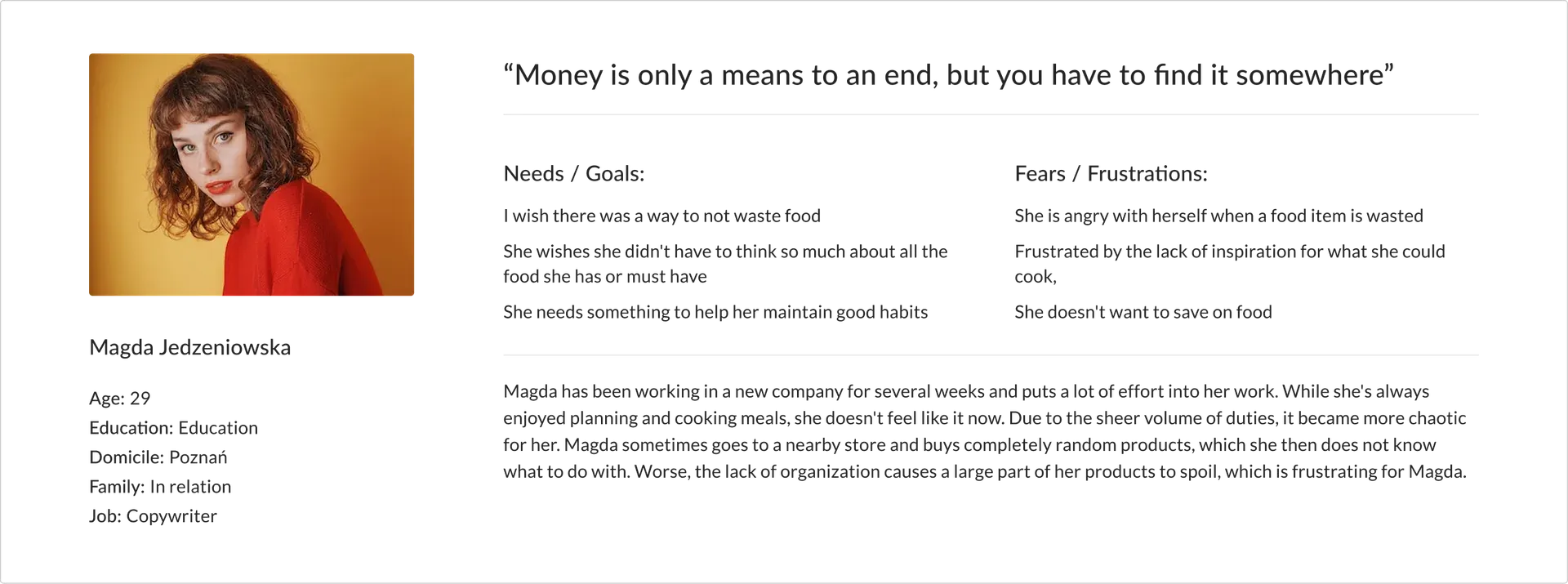
Based on the gathered data, we created hypothetical personas that became the reference point for further design work.
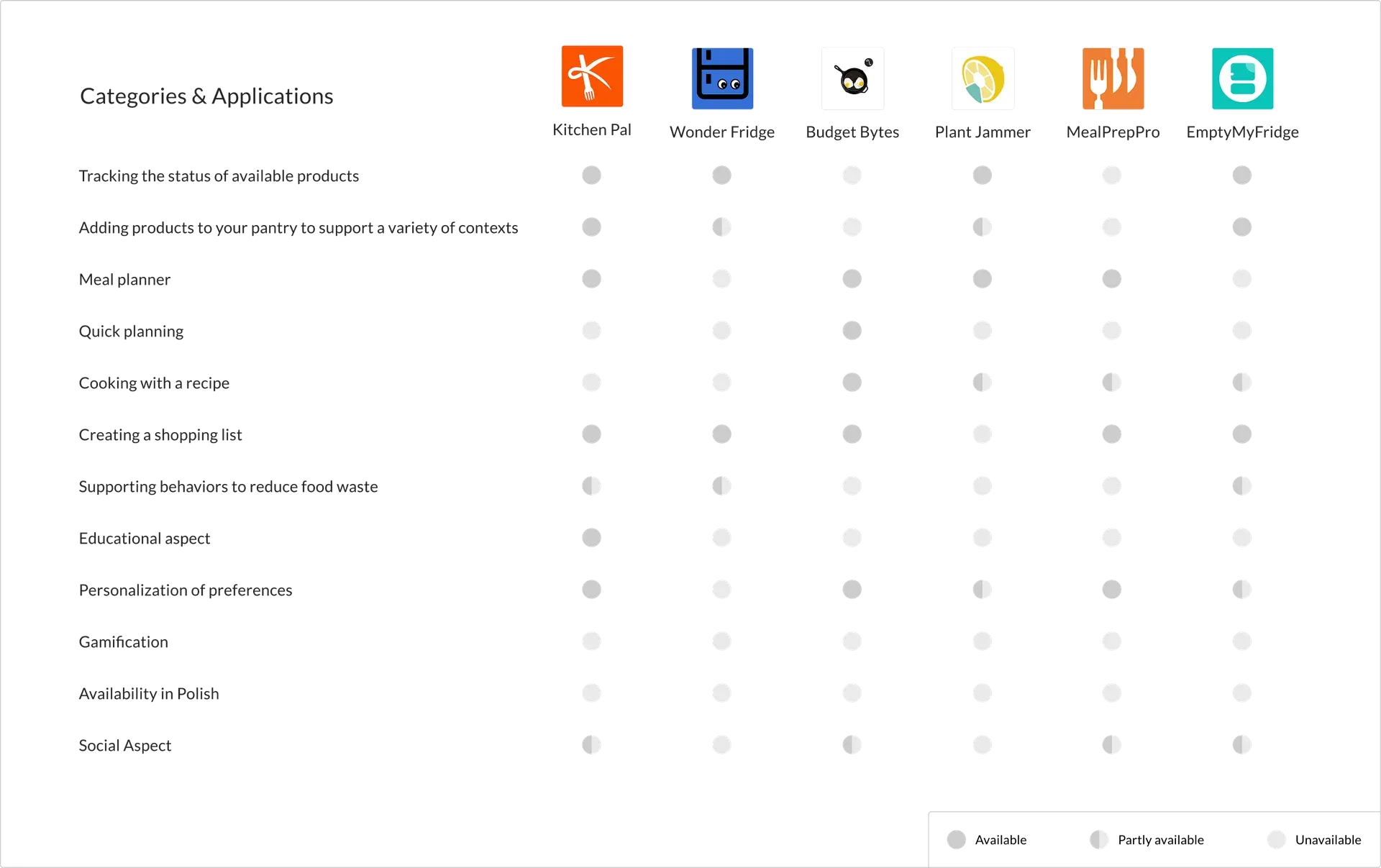
After better understanding potential users, we moved on to analysing the competition — both direct and indirect — to see how it addresses the needs we identified.
With a clearly defined user vision and an overview of the existing competition, we defined the value we wanted to deliver to users.
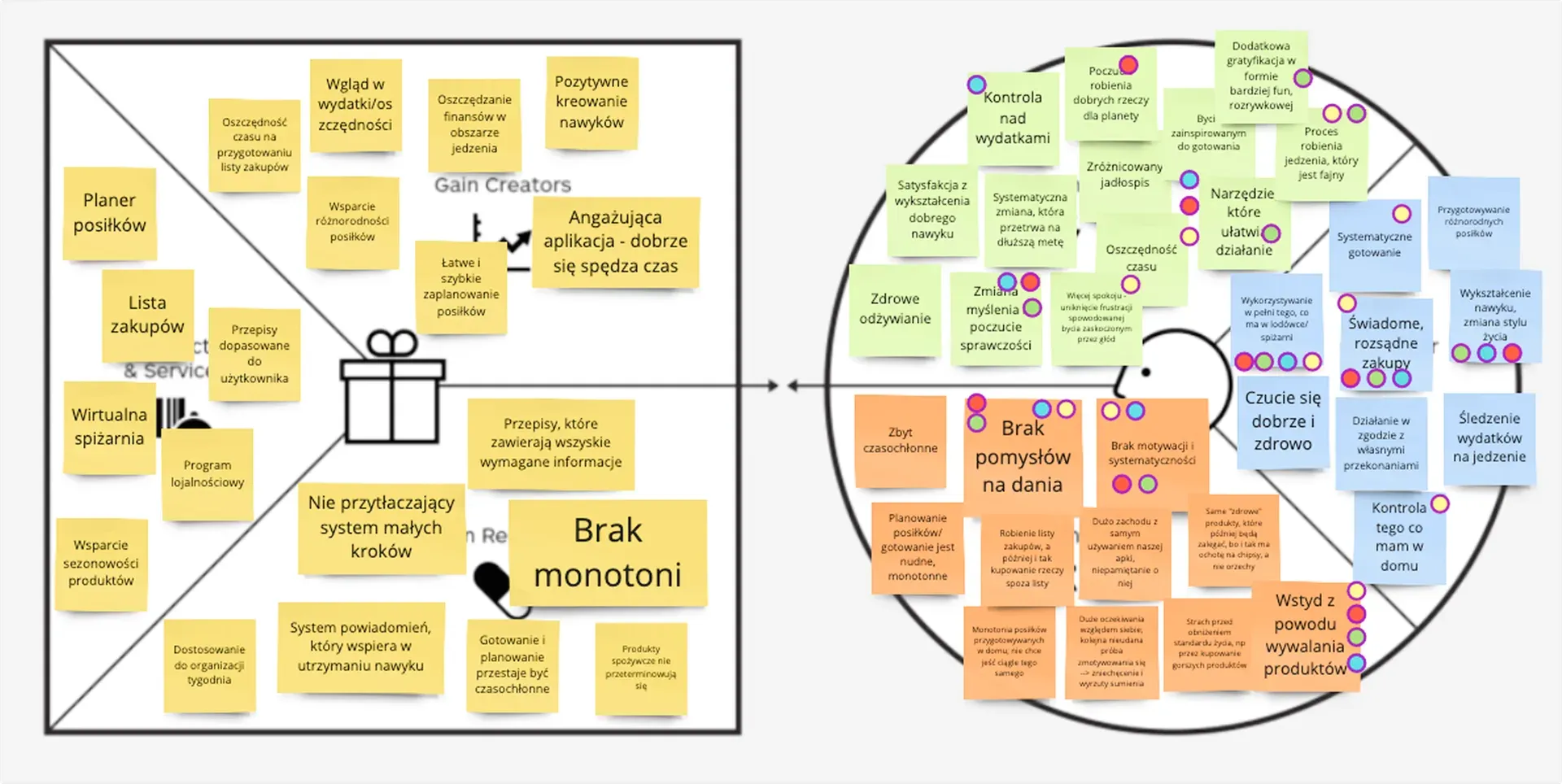
We’re building an app for people who want to cook more often but keep throwing food out — or watching it expire in the fridge.
It helps them buy only what they’ll actually eat and cook with what’s already there.
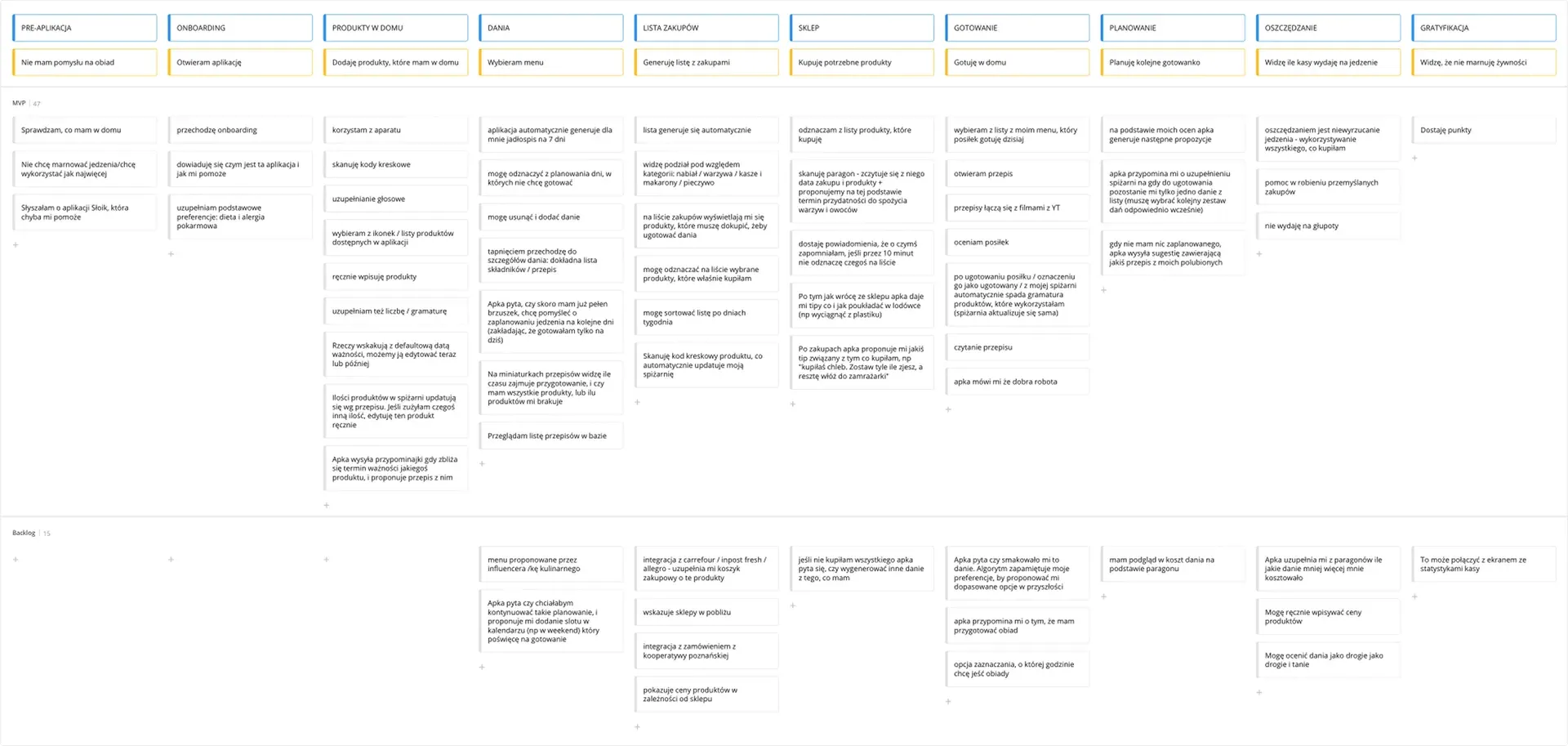
We mapped out the interactions that users go through to achieve their goals within our product.
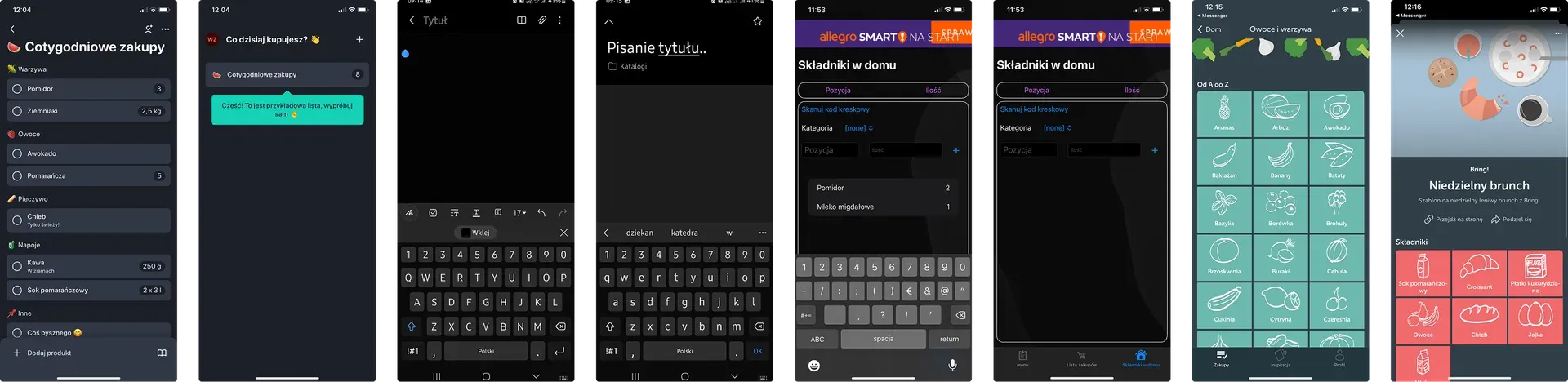
Before moving into design, we analysed well-known digital solutions. We drew inspiration from various sources and design patterns to better understand possible directions.
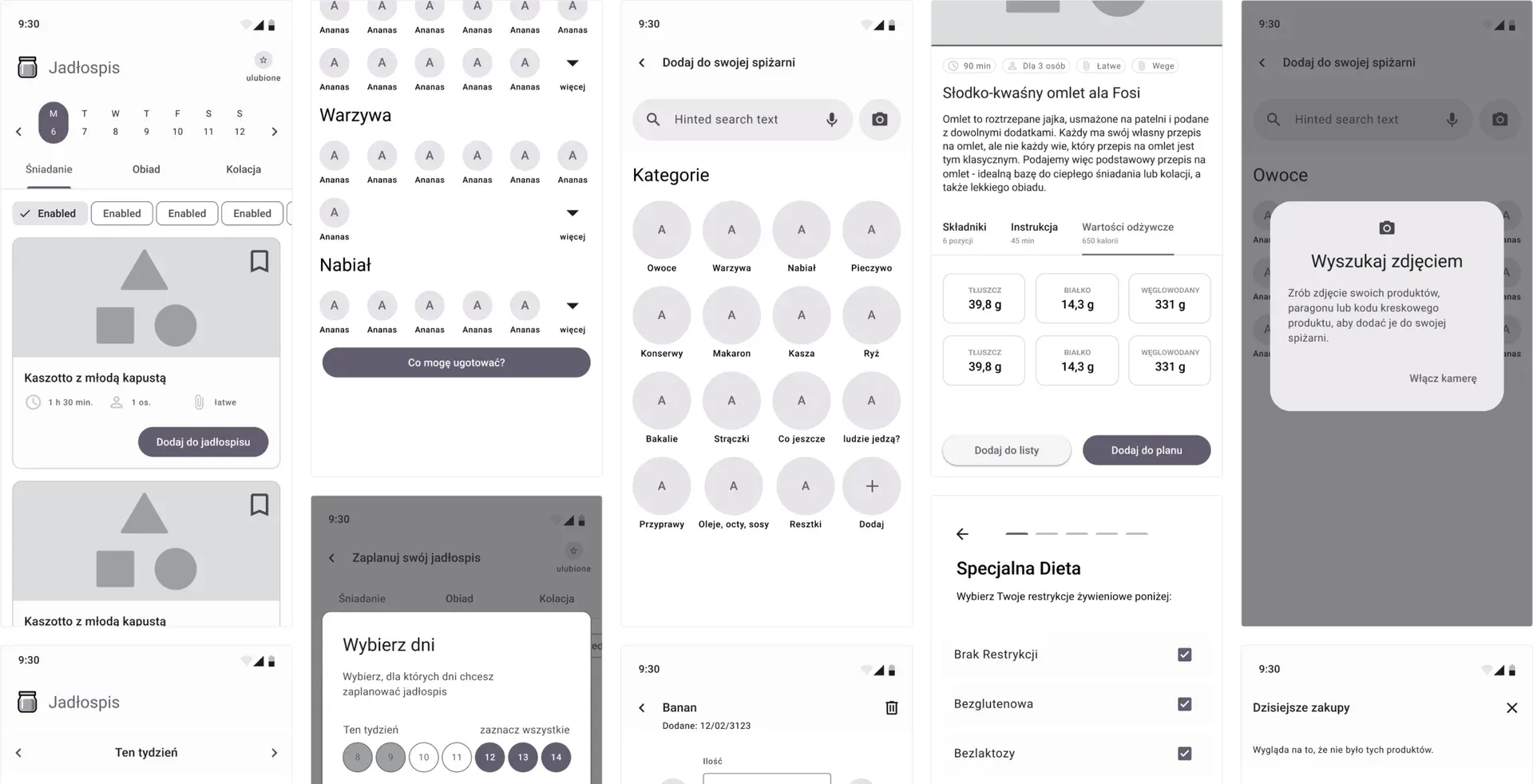
During the design workshop, we iterated and refined our solutions multiple times. In the process, we also created a system of points and rewards to support user engagement and product adoption.
Points earned for activity in the app can be exchanged for discounts in the OK Poznań application.
Every meal cooked with the seasonal vegetable of the month earns you a dedicated badge.
Using a product that’s about to expire rewards you with a special badge — no food wasted.
Opening the app and cooking consistently brings ongoing loyalty rewards.
Based on the developed solutions, we created wireframes and a simple information architecture. This allowed us to prototype the main user flows and begin testing.
We examined 6 participants via remote, semi-structured studies. Prepared tasks were made to unfold the experience of proposed solutions.
"A few of your products can be added to your virtual pantry. Add 4 apples, 2 onions and 1/4 jar of tomato sauce to it."
"You've planned your meals, but you don't want to do all the shopping at once. Make a list of what you need just for today's (Monday) meal."
"You're home, prepped, and ready to cook. Open today's recipe and cook it using the app."
We found 8 concerning errors, which we fixed and tested in another iteration:
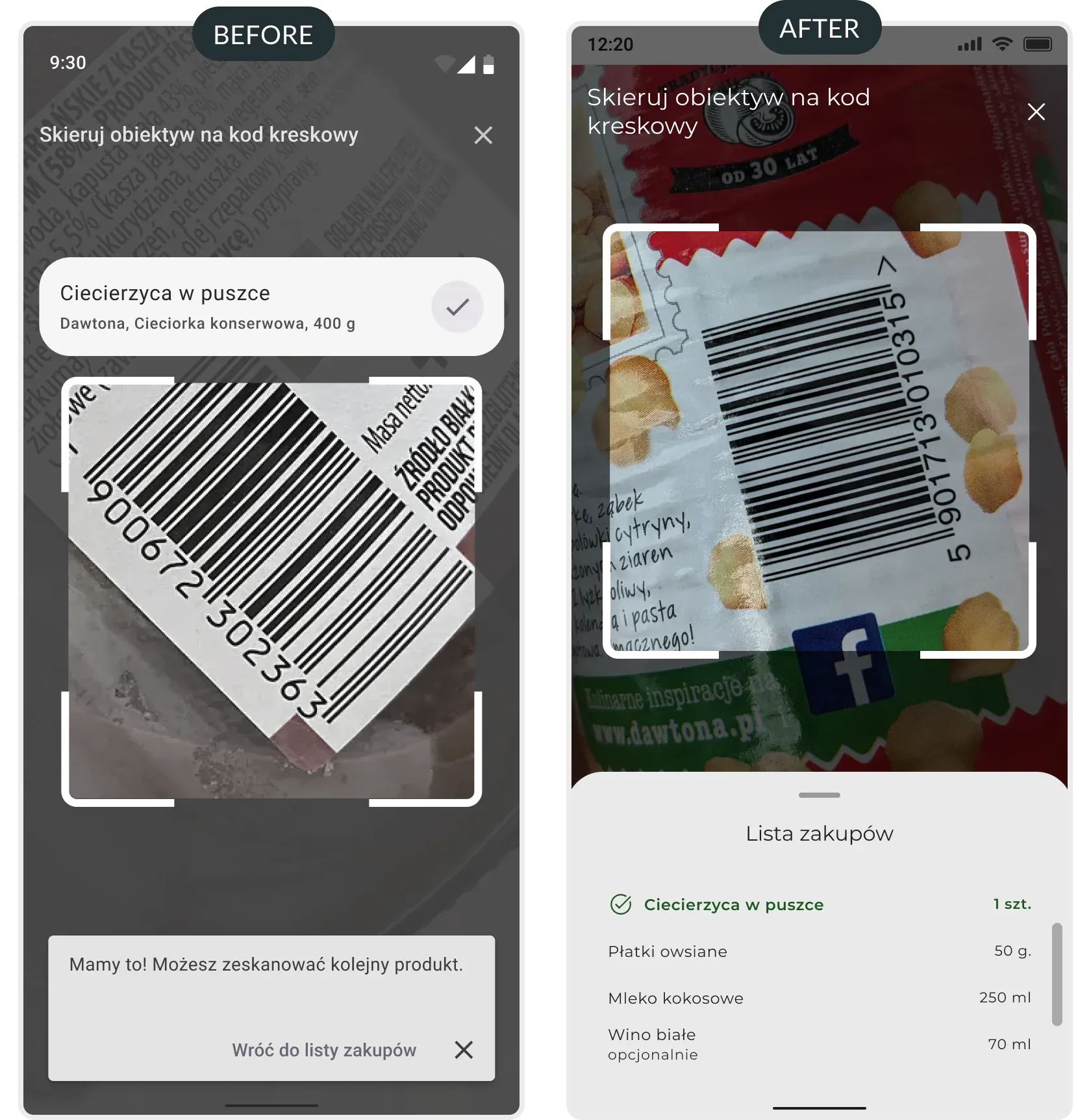
Users noticed that there was no preview of the shopping list; instead of streamlining the shopping process, it was extended (the user had to go back to the list screen and enter the scanning functionality again each time).
We added a preview of the shopping list on the bottom sheet, which allowed users to check the list easily.
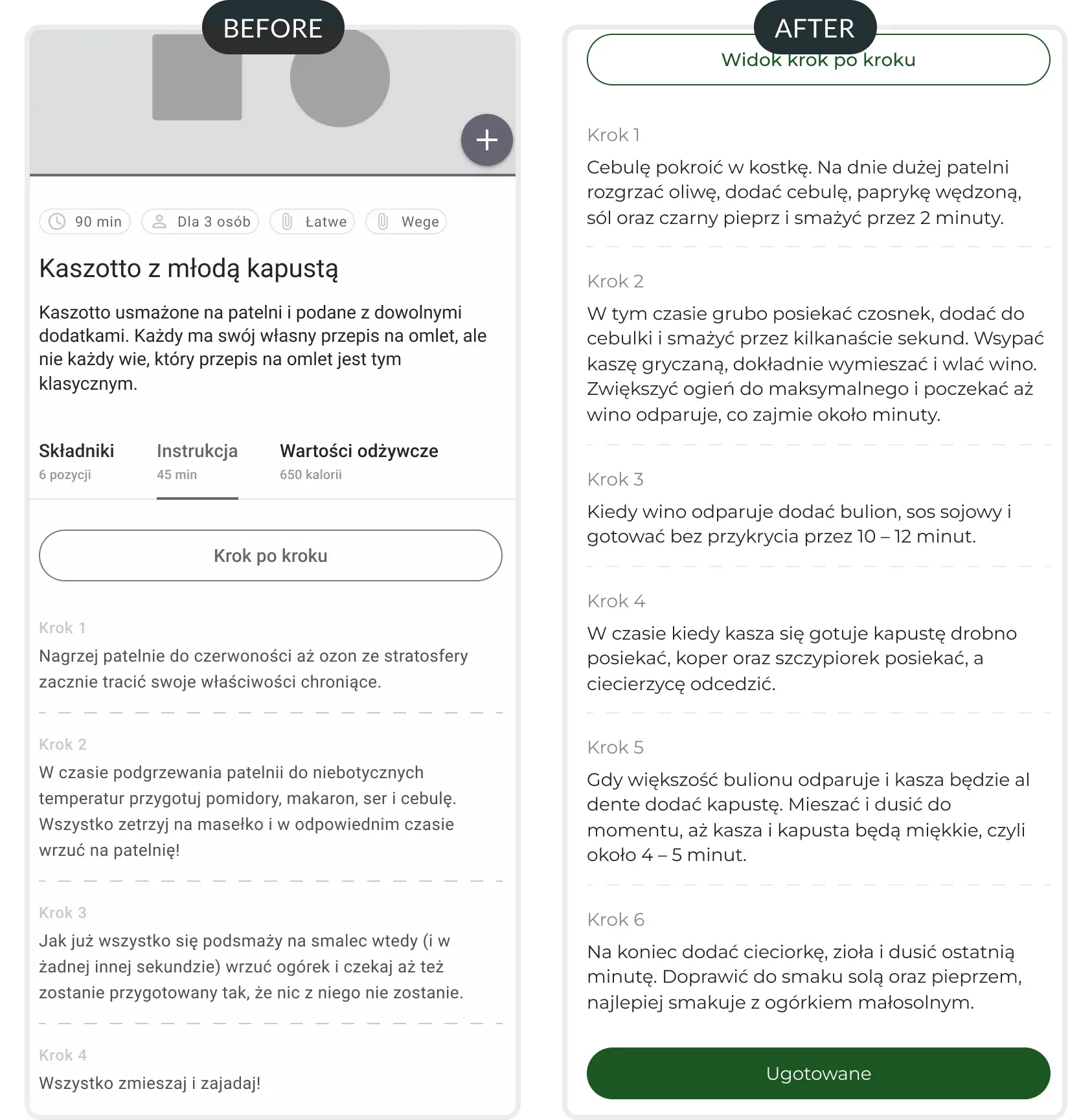
Users could not update the system about the state of the dish without using the easy cooking mode.
We added a button that allowed users to finish cooking even on the overview of the recipe screen (the button appears if a recipe is planned).
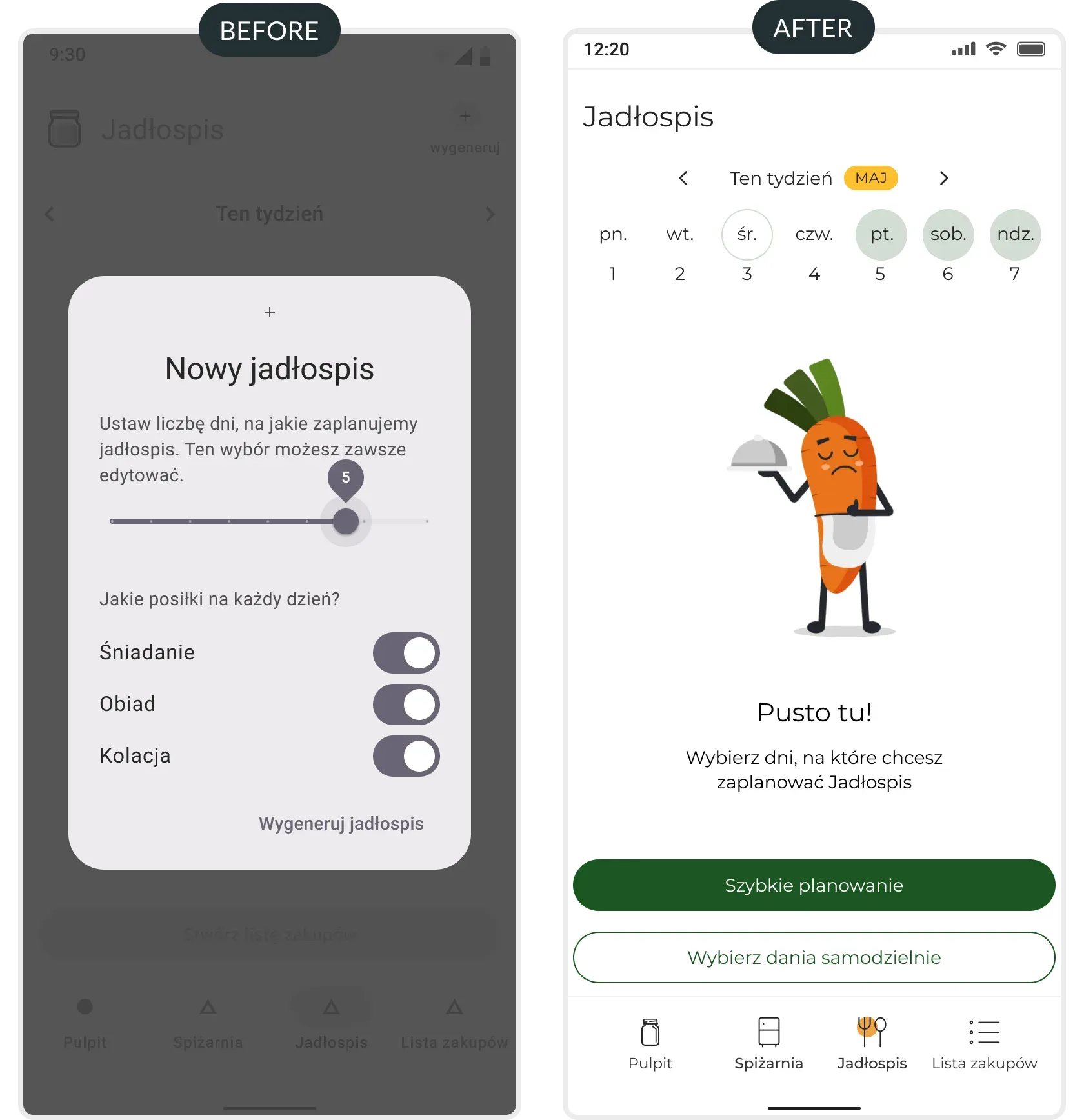
The process of planning required going through two screens. The slider component used as a date picker was unreadable.
We changed the flow of the recipe planner; we shortened possible actions and displayed a calendar on the main page.
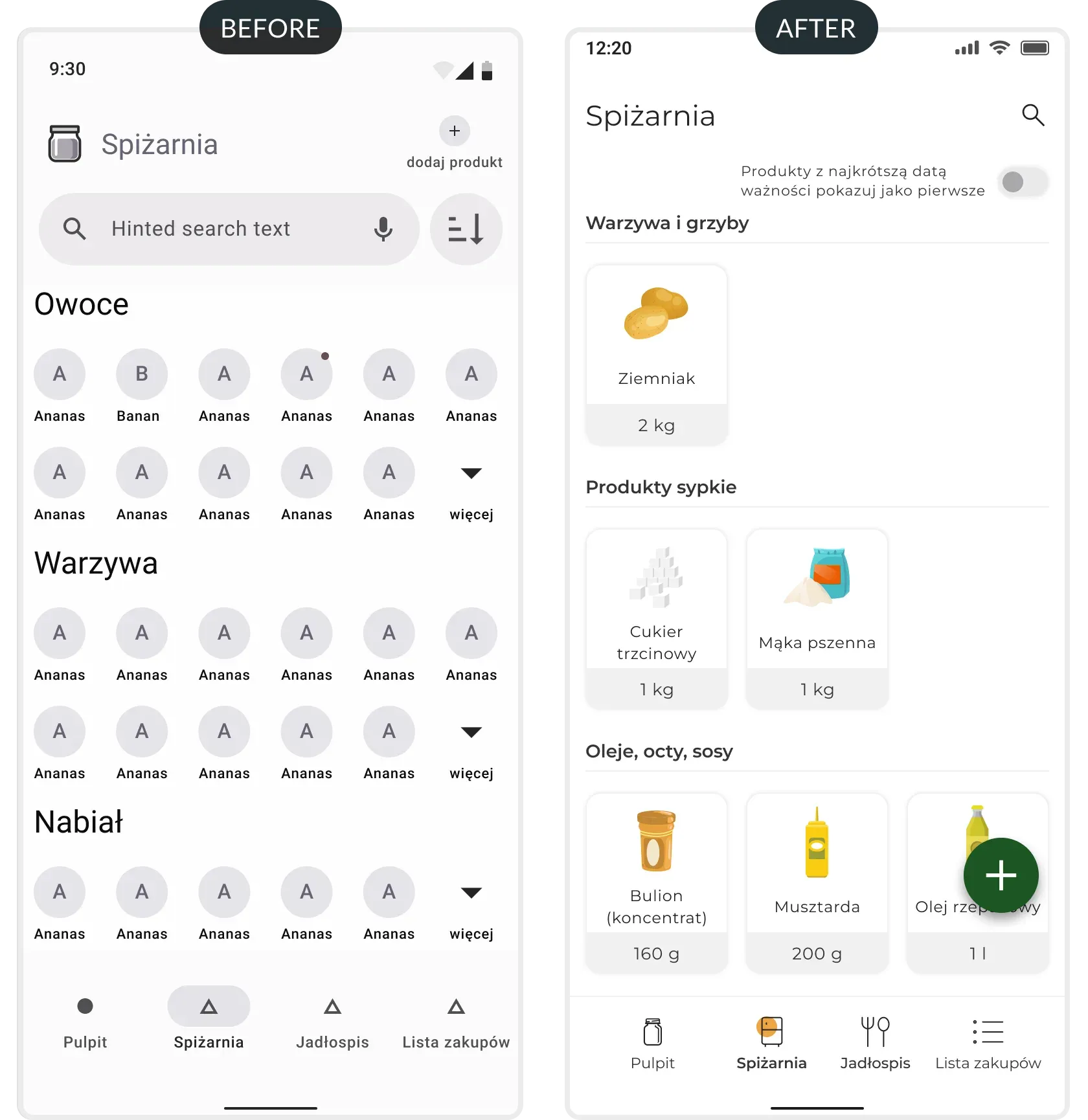
While in the pantry, participants had problems adding new products; they couldn't find functionality to add new products.
We have changed the components we were using for adding products. By using FAB, we have made the action of adding new products visible and always near the thumb.
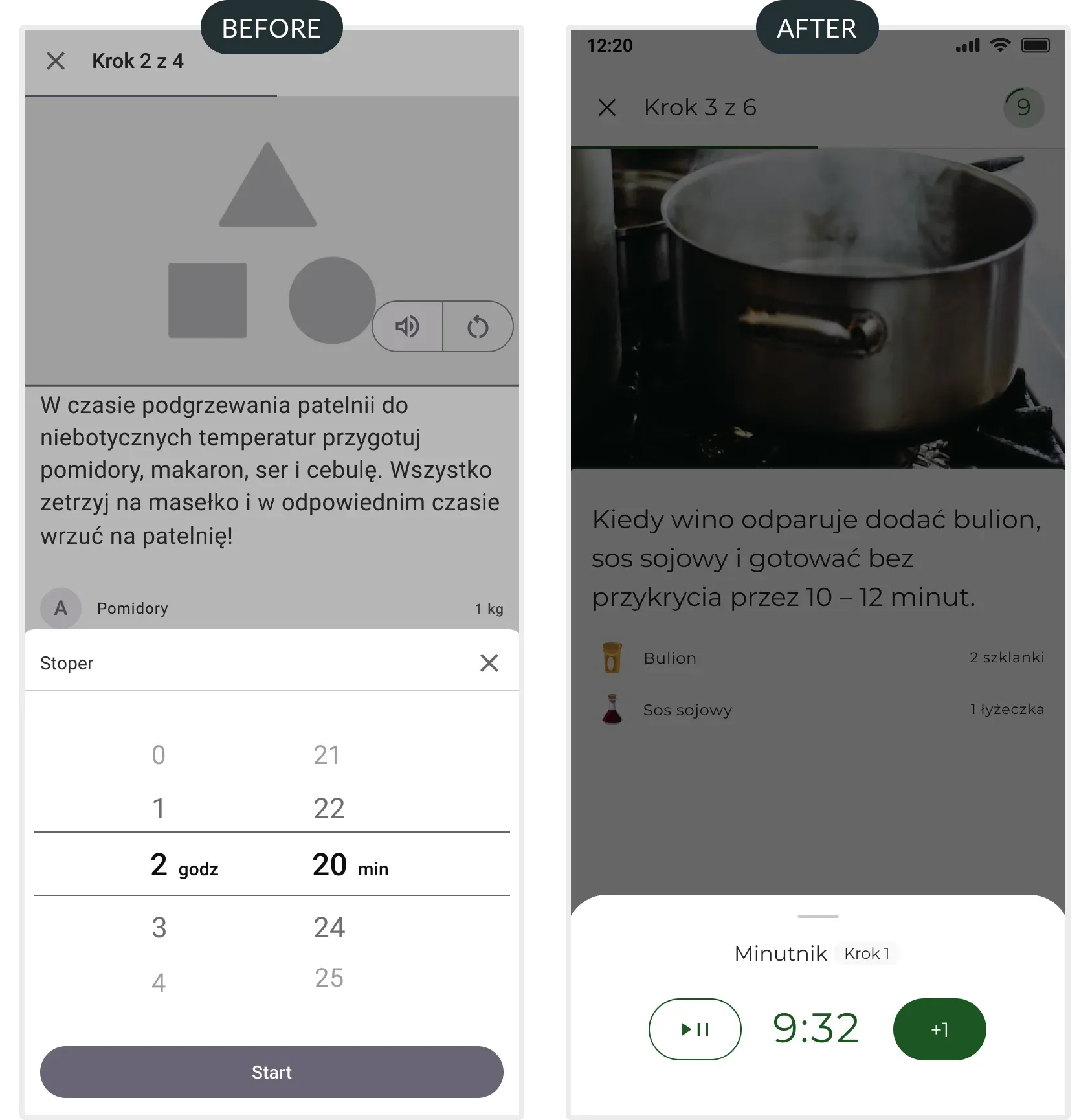
Not all users knew how to go from one step to the next (SWIPE). Moreover, users felt overwhelmed by the number of actions in the simplified cooking mode.
We have added a button that allows users to move between screens. To simplify the process, we dropped additional actions and reworked how the timer behaves.
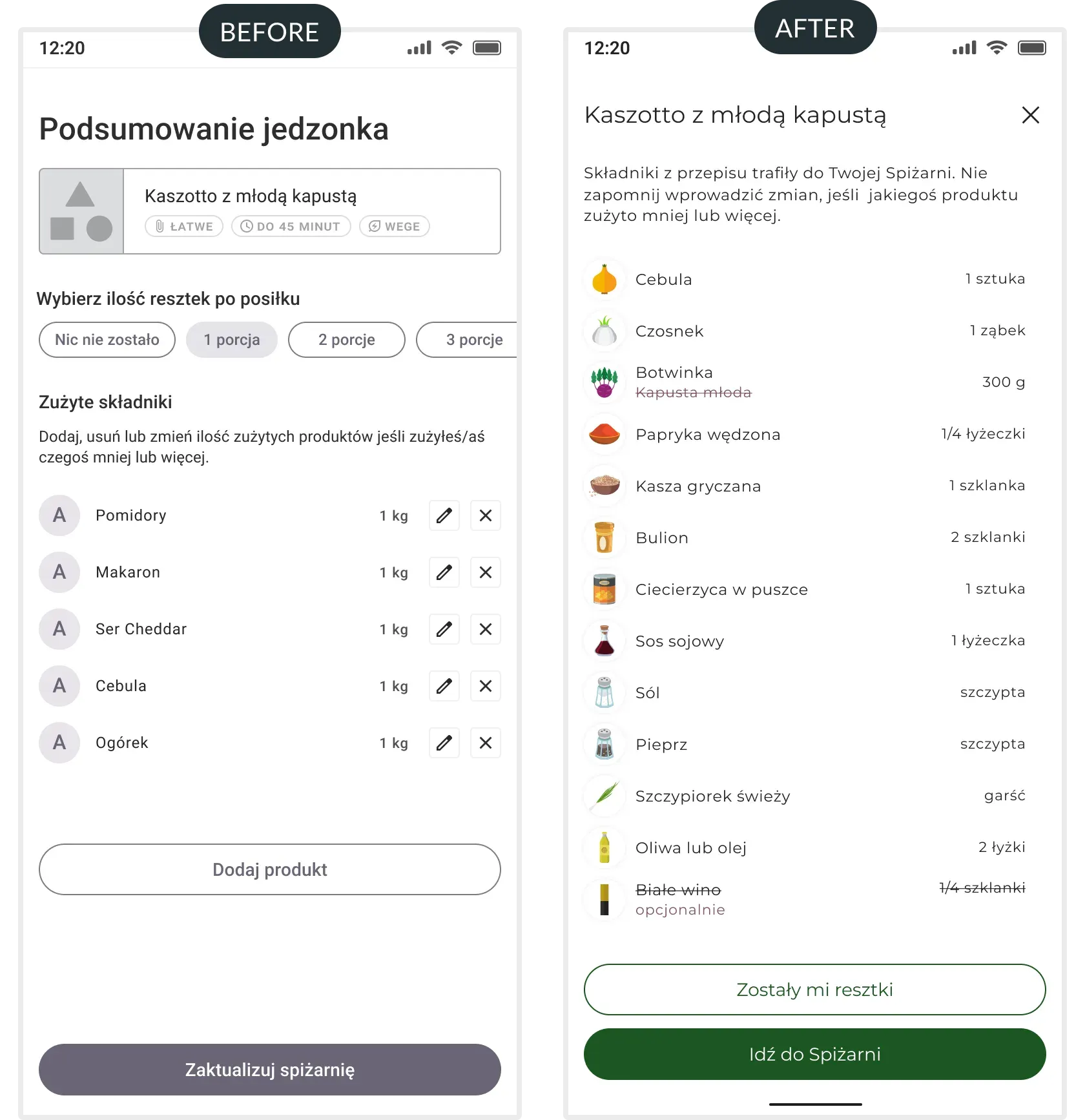
Users said the happy path required more clicks than they wanted. The summary screen was one of the places that felt overwhelming.
We simplified the summary screen view by removing proposed actions and placing them inside notifications.
We examined 6 participants via a remote, semi-structured study. We found 4 concerning errors:
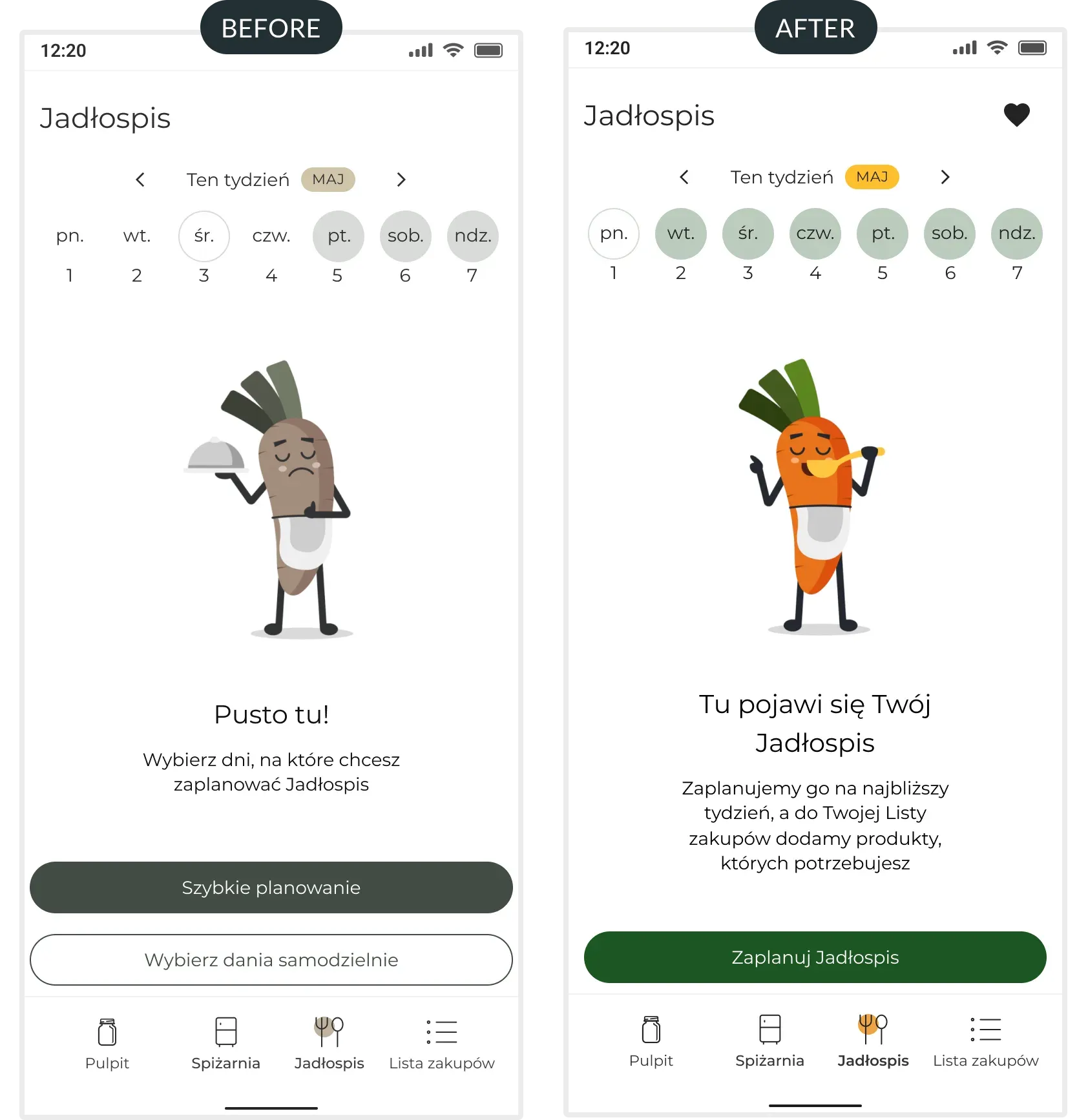
Users didn't know the difference between an automatic and manual dish planner. Additionally, the manual process was assessed as time-consuming and unintuitive.
We dropped the manual dish planner — the choice felt unclear and ultimately pointless, and the automatic planner did everything the manual one did, faster.
After many iterations, fixes, and polishing of details, we brought “Spiżarnia” to its final version.
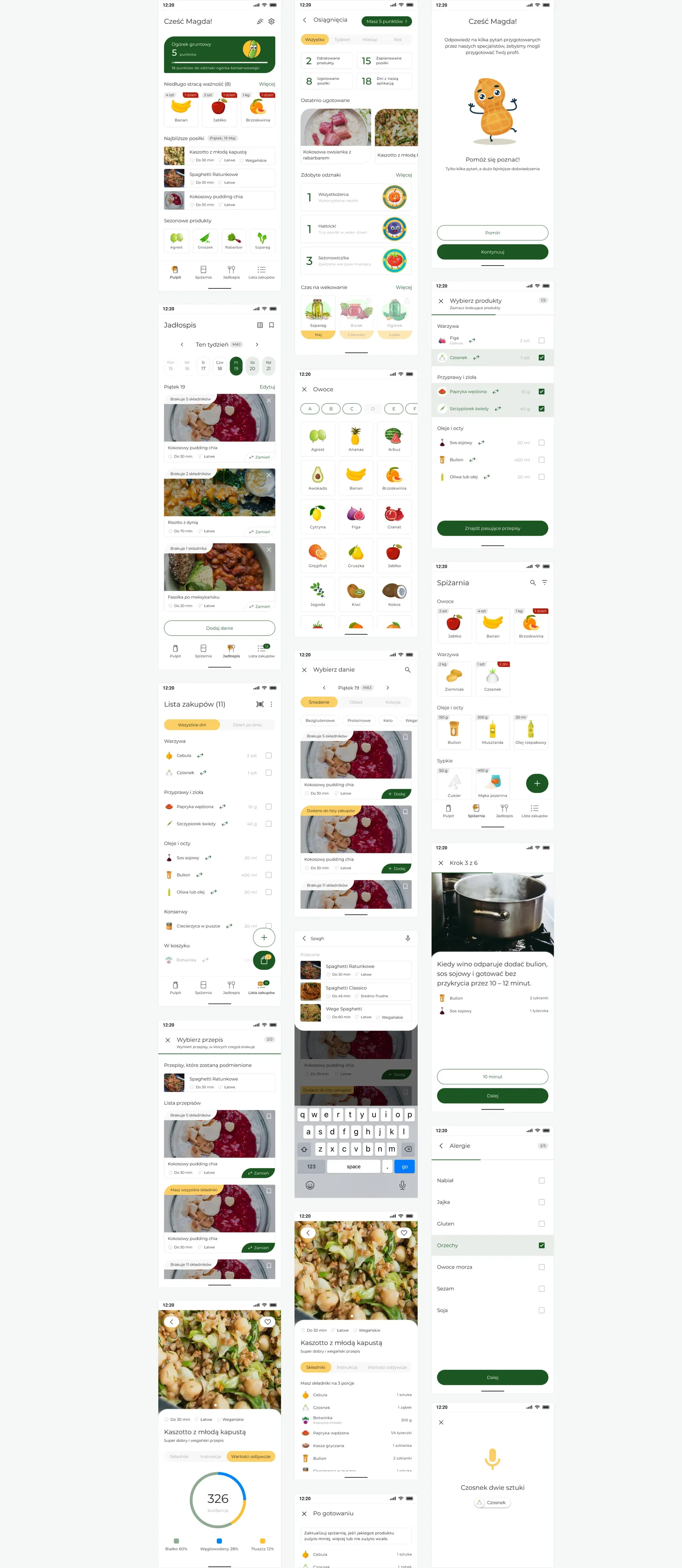
Story mapping turned out to be a pivotal moment in the project — laying out the entire user journey on a map helped the team see the product as a coherent whole rather than a collection of separate screens. This exercise clarified priorities and gave us a shared language for making scope decisions.
Complex functionality must be hidden behind one obvious action — replacing several scattered paths for adding products with a single FAB eliminated the most common point of confusion in testing.
I would start with a narrower research question. Our first round of research covered the entire topic of personal finance — it was only the interview insights that revealed the real problem lay in food management. Had I formed a hypothesis earlier, I would have saved the team time. The second thing is testing iterations — we introduced six changes at once before the second round, which means I cannot definitively say which fix accounts for which result.