- 5.0 add-on rating
- 5 languages
- 0 data collected
- 2 wk idea → launch
- Role
- Solo — research, design, development
- Tools
- Figma, Claude Code, Firefox APIs
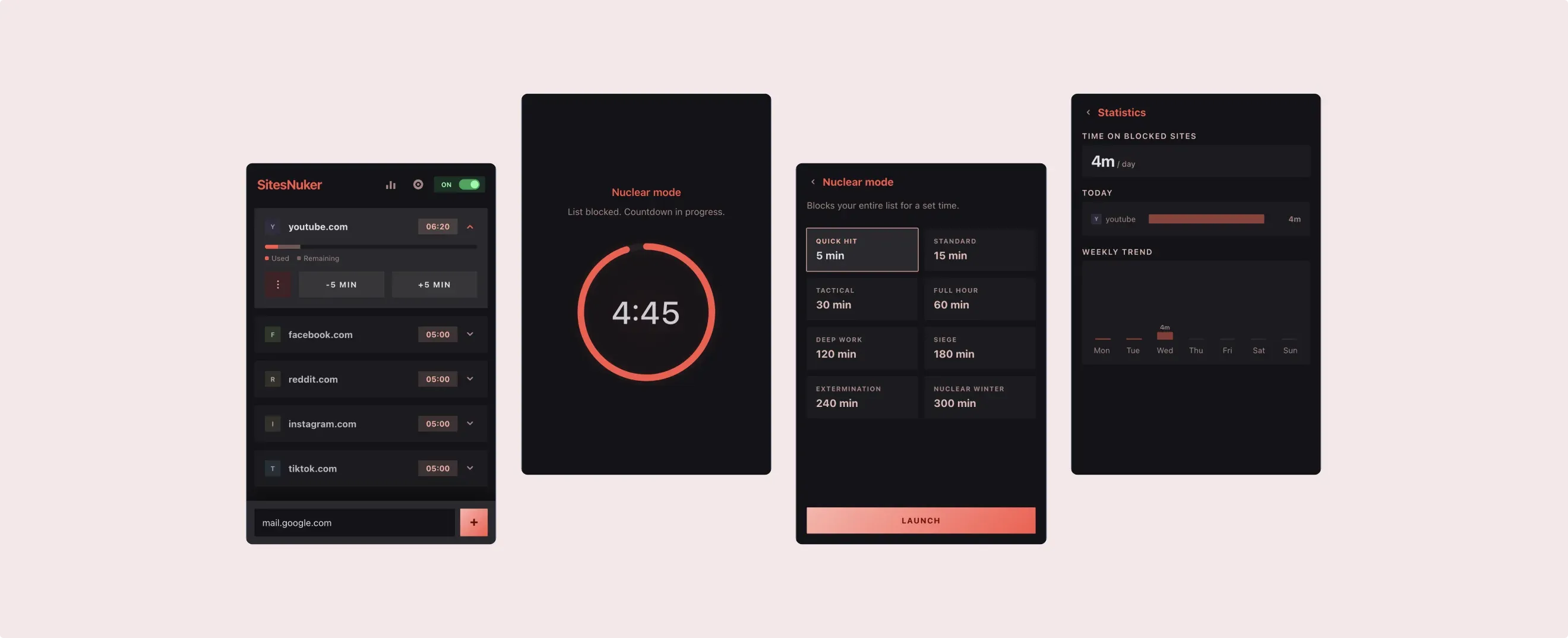
SitesNuker is a Firefox extension that helps you stop losing hours to Reddit, YouTube, and X — with time limits, hard blocks, and intentional friction. Open source, shipped on Mozilla Add-ons, designed around one principle: the best productivity tool is the one you can’t easily talk yourself out of using.
The average person spends nearly 7 hours a day looking at screens, and a significant portion of that time is unintentional — a "quick check" on Reddit turns into 45 minutes, a single YouTube video spirals into an hour-long rabbit hole. Users don’t lack willpower; they lack tools that work with their psychology, not against it. Existing solutions either over-complicate setup, are easy to bypass, or hide basic features behind a subscription. Users give up before they even start.
Desk research, netnography and review analysis of similar solutions surfaced recurring frustrations:
“I lose track of time”
Users describe entering a flow state on addictive sites. No external cue breaks the loop. By the time they check the clock, it’s too late.
“I just disable the blocker”
Most extensions let users bypass blocks with a single click. There’s no intentional friction. The block becomes performative, not functional.
“Setup took forever”
Power-user tools like LeechBlock require configuring time blocks, regex patterns and multiple rule sets. Most users never finish onboarding.
“I have no idea how much I use”
Without usage data, users can’t set realistic limits. They end up too low (frustrating) or too high (ineffective).
I analysed four popular browser extensions across the dimensions that matter most: setup effort, blocking reliability, bypass resistance, usage feedback and pricing.
| LeechBlock NG | StayFocusd | one sec | Freedom Limit | SitesNuker | |
|---|---|---|---|---|---|
| Setup complexity | High — 30 rule sets, regex, schedules | Medium — options page with many settings | Low — pick apps | Low — simple list | Low — presets + tap to add |
| Blocking method | Page redirect | Page redirect | Breathing overlay | Calming green screen | declarativeNetRequest — browser-level |
| Bypass resistance | Optional password | Nuclear option (one-time) | Low — tap to continue | Low — close tab | 20-sec countdown + 1h hard cap |
| Per-site time limits | Yes | Yes | No | Yes | Yes |
| Usage statistics | Partial | No | Yes | No | Yes |
| Nuclear focus mode | Partial | Yes | No | No | Yes |
| Data privacy | Local only | Local only | Account required | Account + subscription | Local only, zero telemetry |
| Pricing | Free | Free | Freemium — $5/mo | Freemium — $7/mo | Free & open source |
Existing tools are either powerful but overwhelming to configure, or simple but easy to bypass. None combine all three: quick setup, effective blocking, and insight into your habits, without requiring an account or payment.
Before touching any screen, I mapped the three flows that would define whether the product actually works day-to-day: setting a limit, hitting it, and breaking glass when nothing else helps.
Happy path, first-time user. The extension should feel useful before any configuration.
Install
Extension installs with 6 presets ready
Open popup
See site list with 10-min defaults
Browse
Timer counts down in real time
Blocked
Hard block at browser level
The intentional-friction pattern. Every step is designed to make breaking your own limit feel deliberate, not automatic.
Blocked
User hits limit, sees block page
Extend?
User taps “Add more time”
20-sec wait
Forced cooldown — must wait and watch
Decide
Confirm or cancel. Many walk away
Hard cap
Max 1h total per site. No exceptions
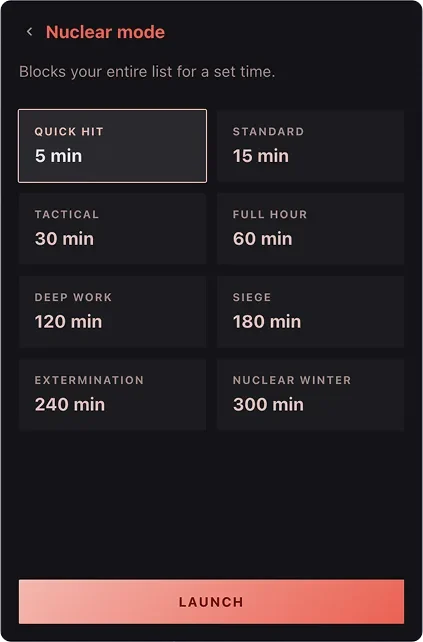
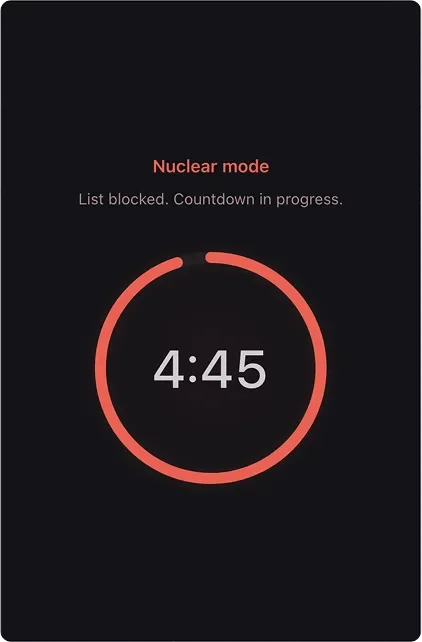
Instant focus session. Activation is easy; cancellation is not.
Activate
Tap Nuclear Mode button
Pick duration
5 minutes to 5 hours
All blocked
Every tracked site goes dark immediately
Countdown
Timer visible in popup, no cancel
Released
Sites unblock automatically
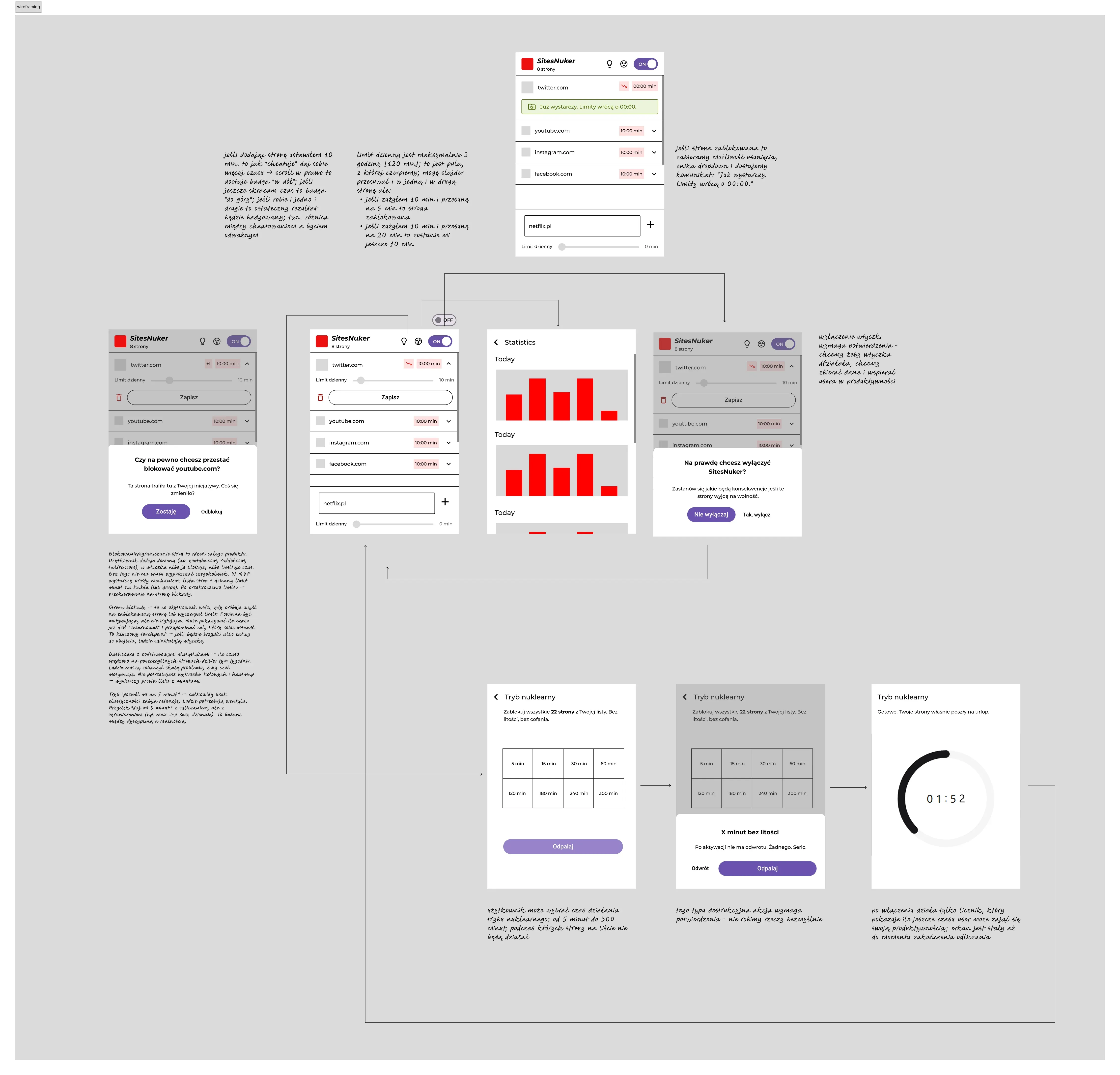
With three flows defined, I translated each step into screens and built low-fidelity wireframes. This stage was intentionally rough. The goal was to verify that every step of every flow could fit within the tight 400×600 px popup space, before thinking about typography, icons, or color. Anything that couldn’t earn its place at low fidelity was cut – before it became a visual design problem.
A browser-extension popup is a severely constrained canvas: roughly 400×600 px. Every element must earn its space. The final design prioritises immediate readability: how much time is left, which sites are tracked, and one-tap actions.
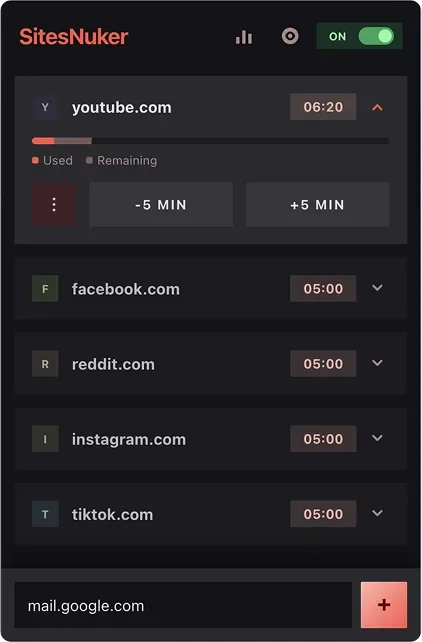
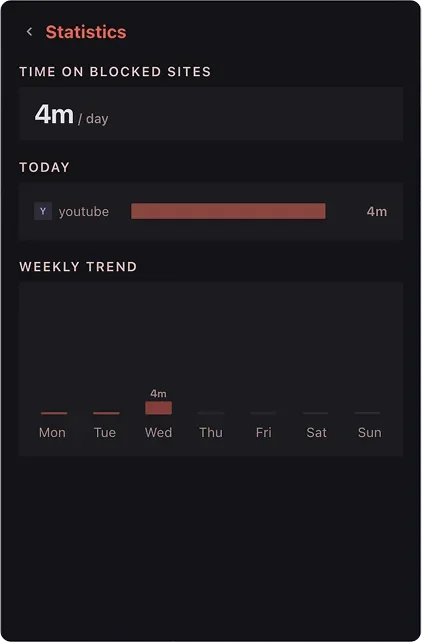
Every design decision came back to one principle: the best productivity tool is the one you can’t easily talk yourself out of. Four calls that shaped the product more than anything else:
Passwords are either remembered (no friction) or forgotten (frustrating). A forced 20-second wait is universally uncomfortable: just enough to break the impulse loop without being punitive. Research on implementation intentions shows that even a brief pause before a habitual action significantly reduces follow-through.
Without an absolute ceiling, users negotiate with themselves endlessly ("just 5 more minutes" × 12). The hard cap sets a non-negotiable boundary. It’s a design constraint, not a limitation — it reframes the question from "how much more?" to "how do I use what I have?"
YouTube, Reddit, Instagram, Facebook, TikTok and X come pre-configured with 10-minute defaults. Users start benefiting immediately: no setup anxiety, no decision paralysis. They customise later, when they understand their own patterns.
Most favicon services (Google, DuckDuckGo) leak browsing data. SitesNuker generates colored letter icons locally: no network requests, no privacy compromise. The visual identity stays distinct enough for quick scanning.
SitesNuker is live on Mozilla Add-ons, open source on GitHub and actively maintained. The extension ships in five languages and has been received warmly by the r/nosurf and digital-minimalism communities that inspired it.
The product is under active development. Three things are on the roadmap. First, session-based insights: not just how many minutes total, but how many times the user came back. Twenty short visits to Reddit is a different problem than one long one. Second, goals with positive reinforcement: celebrating streaks of days where the user stayed within limits. Third, cross-browser support: Chrome’s Manifest V3 has equivalent APIs, and the architecture is already modular enough to make a port realistic.